· engineering · 3 min read
By Ankit Jaincurl Said No. Chrome Said Yes - Decoding Mystery in macOS
One hostname, three different truths: Chrome opened it, dig resolved it, but curl and ping swore it didn’t exist. A deep dive into a bizarre macOS DNS resolver mystery.
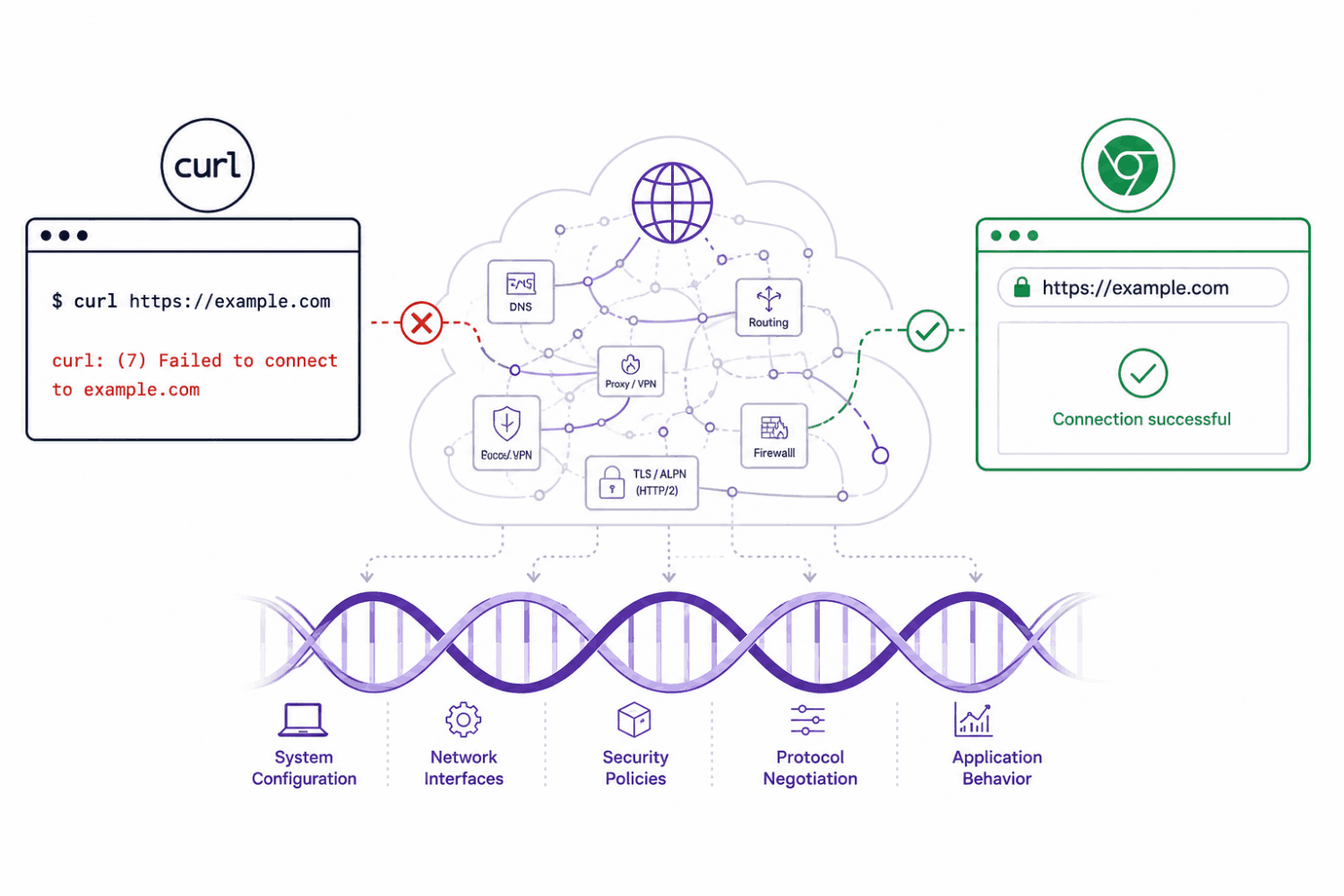
A few days ago I hit one of those bugs that makes you doubt reality we live in that things should work. However, the software gets complicated because people behind it make it complicated. Here we start:
A simple curl request was failing on macOS:
curl -v https://something-bigger-we-want-to-build.free.beeceptor.com/orders/confirmAnd the output looked straightforward enough:
curl: (6) Could not resolve hostClassic DNS issue, right?
Except the same URL opened perfectly fine in Chrome.
That’s where things got interesting.
The Problem
At first glance, this looked like a standard hostname resolution failure. The terminal couldn’t resolve the Beeceptor subdomain, but the browser could.
Usually when DNS breaks, everything breaks consistently:
- browser
- curl
- ping
- dig
- applications
But here, different tools were reporting different realities.
That’s always a signal worth chasing.
First Layer: Is DNS Actually Broken?
The first instinct was to verify the hostname externally.
dig something-bigger-we-want-to-build.free.beeceptor.comExpected output:
;; ANSWER SECTION:
something-bigger-we-want-to-build.free.beeceptor.com. IN A 159.xx.xx.xx
Interesting.
dig resolved the host successfully.
Then:
host something-bigger-we-want-to-build.free.beeceptor.comAlso worked:
something-bigger-we-want-to-build.free.beeceptor.com has address 159.xx.xx.xxSo DNS servers themselves were healthy.
But then:
ping something-bigger-we-want-to-build.free.beeceptor.comFailed with:
cannot resolve ... Unknown hostNow things became inconsistent:
| Tool | Result |
|---|---|
| Chrome | Works |
| dig | Works |
| host | Works |
| curl | Fails |
| ping | Fails |
That table alone tells an important story: this is probably not a DNS server issue.
It’s a resolver-path issue.
Different Tools, Different DNS Stacks
This is one of those networking details that’s easy to forget.
Not every tool resolves DNS the same way.
digtalks directly to configured DNS servers.- Chrome often uses its own DNS stack or DNS-over-HTTPS.
curlon macOS uses system resolver APIs.pingalso depends heavily on system resolver behavior.
So while dig proved the domain existed, it didn’t prove the macOS resolver stack was happy.
That distinction matters more than most people realize.
Looking at Resolver Configuration
Next step:
scutil --dnsExpected interesting section:
resolver #1
  search domain[0] : domain.name
  nameserver[0] : 1.1.1.1
  nameserver[1] : 8.8.8.8
That search domain line immediately stood out.
domain.name looked suspiciously placeholder kind of think. Not a real internal company domain. Not a VPN suffix. This is just a generic.
Search domains are normally used so machines can resolve short internal names automatically.
For example:
ping apimight transparently expand into:
api.company.internalBut here the failing hostname was already fully qualified:
something-bigger-we-want-to-build.free.beeceptor.comYet macOS resolver logic was still behaving differently than direct DNS tools.
The Weirdest Part
This command returned nothing:
dscacheutil -q host -a name something-bigger-we-want-to-build.free.beeceptor.comCompletely empty.
Which basically confirmed: the macOS resolver cache/system APIs could not resolve the hostname, even though direct DNS queries worked fine.
That explains:
- why Chrome still worked,
- why
digworked, - and why
curlconfidently failed.
Let’s Flish DNS Cache
The next natural attempt for any ProdOps/DevOps is to classic cache reset. You know how many caches are there one web request?:
sudo dscacheutil -flushcache
sudo killall -HUP mDNSResponder
No change. Still I am getting failures:
curl: (6) Could not resolve hostAt this point the investigation stopped being about Beeceptor entirely.
This was now a macOS resolver behavior problem.
The Resolver Rabbit Hole
One subtle clue was that the resolver configuration showed scoped DNS behavior:
DNS configuration (for scoped queries)macOS networking today is surprisingly layered:
- scoped resolvers
- mDNS
- search domains
- VPN resolvers
- interface-specific DNS
- application-specific behavior
And different applications don’t necessarily use the same path.
The funniest part of bugs like this is that every layer is technically “working.”
The DNS server responds. The browser resolves. The system APIs partially fail. Some tools succeed. Others don’t.
So whose bug is this really?
Beeceptor? Apple? The resolver stack? The mysterious domain.name search suffix? Or just modern networking finally becoming too smart for its own good?